CertumSign – a platform
for signing e-documents
CertumSign is an intuitive platform for management, flow, and signing of documents via a web browser. Supports various types of e-signatures, including one-time qualified signatures.
Create an account and access it from anywhere in the world.
Create a free account Log in
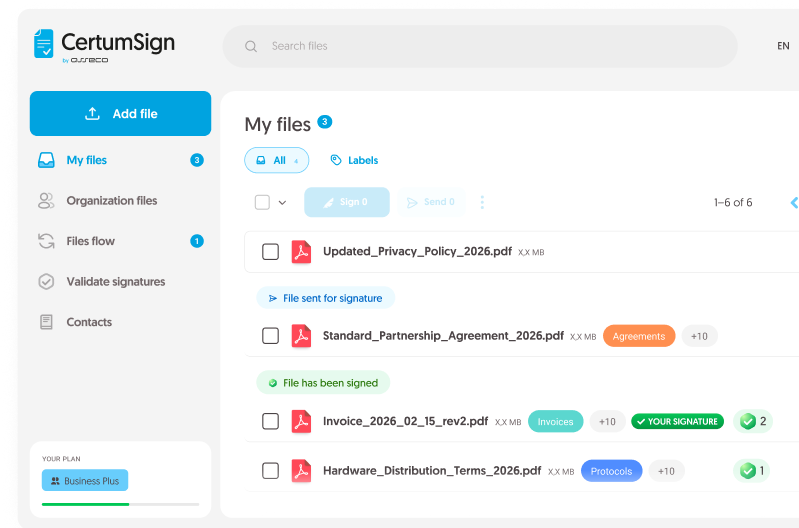
Sign documents online

Reduce the number of emails and applications. Send multiple documents at once to collect signatures faster

You get one place for all your company documents — sign, share, and manage without the chaos

If the sender or recipient does not have their own signature, they will use a simple signature or a one-time qualified signature
How to start signing documents
via a browser?

Create an account and use the service at sign.certum.pl. You can choose between a free basic account or a paid account with extended features.
You sign and send files. Your customers and business partners do not need to have an account on the platform.
You can sign documents using:
- the SimplySign signature (QES)
- the Certum card signature (QES)
In CertumSign, documents can also be signed by people who do not have their own e-signature. The available options:
- one-time qualified signature (QES)
- basic signature using an SMS code or e-mail (SES)

One-time qualified signature. One action
and you are done!
With CertumSign paid plans, you will receive between 8 and 100 one-time qualified signatures for the entire subscription period.
You can obtain a one-time qualified signature in just a few clicks without leaving your home or office. You can use it or pass it on to the recipient if they do not have their own signature.
How to use a one-time qualified signature?
- Select a one-time qualified signature as the signature method
- To use it, confirm your identity remotely through bank authentication combined with video verification
- Once your identity is verified, sign the document

Would you like to see how CertumSign works in your company?
Try the plan for organizations. Contact our consultant to receive a 14-day trial access.
Choose a plan tailored to your needs
Free
Standard
Premium
Business
Business Plus
CertumSign – Speed up your work with documents
Sign
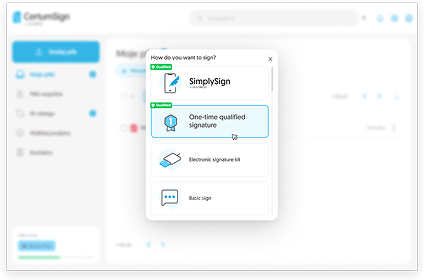
Sign documents in 3 steps:
Log in to your sign.certum.pl account
Upload a PDF/DOC/XML file
Sign with the signature of your choice
Forward to another user
See how to submit a document on the platform
Indicate the recipient of the document
Enter their e-mail address and phone number
The recipient will receive an email notification
about a new file to sign in their CertumSign account
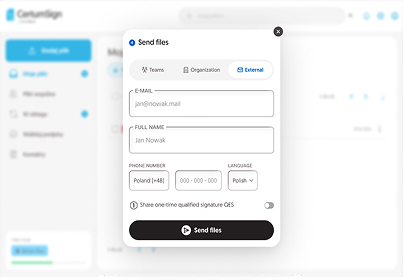
Send outside the platform
You can send the document to someone without an account
Enter the recipient’s e-mail address and mobile phone number
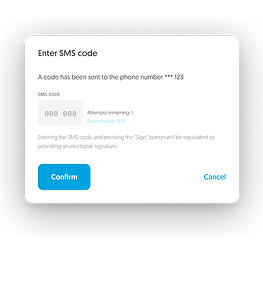
The recipient will receive a link and an SMS code to view the document
If the recipient does not have their own e-signature, they receive a second code to sign


How does the browser verify signed documents?
With CertumSign, you can verify the authenticity and validity of an electronic signature.
The platform uses the qualified WebNotarius validation service. This allows you to obtain confirmation of the validity of the signature.
1. Go to the Validate signatures tab
2. Upload the document you want to validate
3. Check the result and download the report
The qualified validation report confirms the correctness of the submitted signature. You can generate the document in PDF format. You can use it in disputes, e.g., in court.
Choose the CertumSign e-document
platform and gain:

Reduce office material, printing, and paper document shipping expenses

Sign documents remotely with employees and clients

Use the service online 24/7 at your convenience

Sign any number of documents with your SimplySign signature

Secure documents with qualified trust services

Meet the requirements of eIDAS, the Trust Services Act, and GDPR
Most popular questions
What is a basic signature (SES)?
A basic signature is a one-time SMS or email code used to sign an e-document. It works best when the other party does not have their own e-signature. When sending a document from the CertumSign platform for signing, you can choose how the recipient is authorized – by SMS code or email.
If you choose authorization by SMS code, and the recipient does not have a CertumSign account, they will first receive a code to open the document. This ensures the protection and confidentiality of the document’s content.
Such a signature meets the conditions for maintaining the documentary form. The date and time of signing are confirmed by a qualified time stamp, and the integrity of the document is ensured by a qualified Certum electronic seal. CertumSign sends SMS codes only to European phone numbers.
Who are CertumSign individual plans intended for?
CertumSign individual plans are available to individuals and companies. You can choose between a free account or a paid account with additional features. The account can only be used by one user.
Who are plans for organizations intended for?
Plans for organizations are for teams, companies, and institutions. The administrator assigns access to colleagues. Users have their own space for documents and a shared space where they can create signing processes inside and outside the organization.
What document formats can I sign on the CertumSign platform?
On the platform, you can sign e-documents in:
- DOC
- XML
- TXT
- PPT
Does CertumSign support documents signed in other software?
Yes. In addition, thanks to the qualified validation service, you can check the legal status and authenticity of the signatures appearing in the document and generate a legally binding PDF report.
Can I purchase additional operation packages?
Yes, you can purchase additional operation packages – basic signature packages (SES), one-time qualified signatures, and qualified signature and seal validation packages are available.
You can find the current offer in the Certum store.
On which devices can I use the service?
The CertumSign platform is accessible via a web browser. It can be used on desktop computers and laptops, as well as on mobile devices such as smartphones and tablets.