2026-05-27
Windows and Code Signing Certificates: Authenticode, SmartScreen and Microsoft Requirements
A properly selected Code Signing certificate helps ensure the secure distribution of software in Windows. A digital signature confirms the identity of the app publisher, increases user trust, and helps reduce security warnings displayed by Windows and Microsoft Defender SmartScreen. Below, we explain which certificates are compatible with Authenticode and when an EV Code Signing certificate is required—including for registration in the Microsoft Windows Hardware Developer Program.
BUY A CERTUM CODE SIGNING CERTIFICATE
Authenticode – Which Certificates Are Compatible with Windows?
Authenticode is a native Windows technology used to verify the digital signatures of applications, installers and scripts.
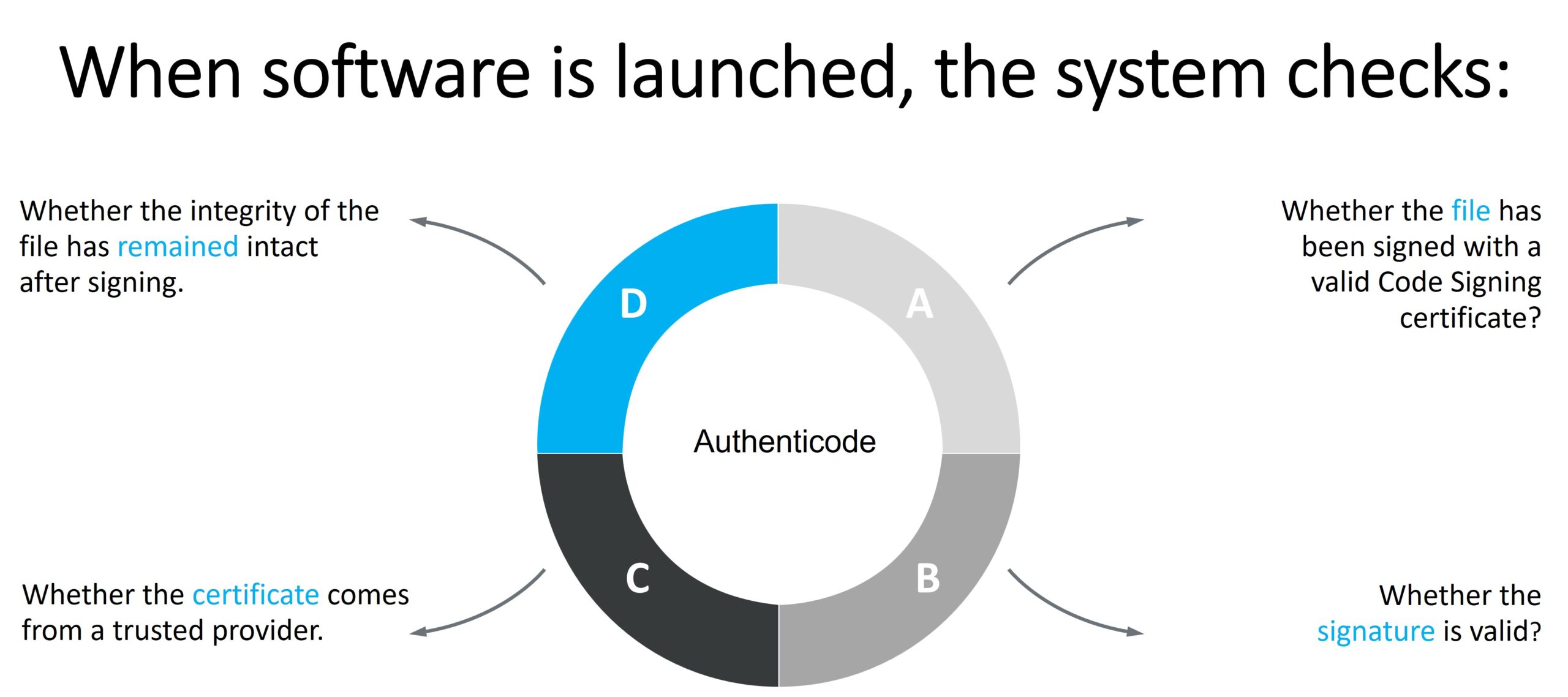
If an app is unsigned or the certificate is not recognized by Windows, users may see warnings such as “Unknown Publisher” messages.
From the perspective of Windows and Microsoft security mechanisms, Code Signing certificates issued by trusted certification authorities are considered compatible. Within Certum’s portfolio, these include:
- Standard Code Signing (OV) – intended for signing applications, installers, DLL libraries and scripts,
- EV Code Signing (Extended Validation) –a certificate with extended organizational validation that provides a higher level of trust within the Microsoft ecosystem.
Code Signing certificates can be used to sign, among others:
- Windows apps,
- MSI and EXE installers,
- DLL libraries,
- PowerShell scripts,
- drivers.
For end users, this provides greater assurance that downloaded software comes from a verified publisher and has not been modified by third parties.
How Does SmartScreen Evaluate Signed Applications?
 Microsoft Defender SmartScreen does not rely solely on whether an app has been digitally signed. The mechanism also analyses the publisher’s reputation and the app’s history within the Microsoft ecosystem.
For new apps, reputation is built gradually based on factors such as the number of downloads, signature history, and the trust level associated with the certificate.
In practice, this means:
- no “Unknown publisher” warnings,
- greater trust among end users,
- a more professional perception of the app,
- the ability to build reputation in SmartScreen.
For companies publicly distributing apps, this has significant business value—especially when selling commercial software or deploying solutions for clients.
EV Code Signing and the Microsoft Windows Hardware Developer Program
 Microsoft also requires an EV Code Signing certificate when registering an organization in the Microsoft Windows Hardware Developer Program (Partner Center).
The EV certificate is used to:
- confirm the organization’s identity,
- create and activate a developer account,
- gain access to the Windows driver-signing process.
At the registration stage, the EV certificate is used exclusively for verification purposes and is assigned to the organization’s account in Partner Center.
Only after the account has been approved the company can:
- submit drivers for attestation signing,
- use the WHCP process,
- obtain production Microsoft signatures for Windows 10 and Windows 11 drivers.
This means that the EV Code Signing certificate serves as a formal “entry point” into Microsoft’s driver-signing ecosystem.
Why Do Companies Choose EV Code Signing?

EV Code Signing is particularly recommended for organizations that:
- publicly distribute Windows applications,
- develop device drivers,
- want to reduce SmartScreen warnings,
- aim to build trust in their brand,
- plan to develop software compliant with Microsoft requirements.
For end users, this means greater security and more reliable software.
For app publishers, it means easier distribution, improved product perception, and compliance with the requirements of the Windows ecosystem.